Skip to content
Start My 3 Free Days $0 today · cancel anytime

Preschool Technology Resources

6 preschool technology resources: 4 activities. How teachers use these

Preschool Technology Resources

6 preschool technology resources: 4 activities. How teachers use these

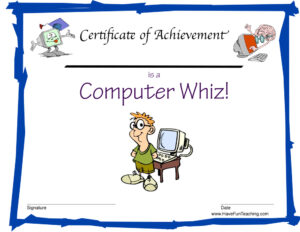
PreschoolComputer Whiz Reward Certificate for Boys

Using the Computer Whiz Reward Certificate for Boys, your student will feel celebrated and recognized for their accomplishment of being a computer whiz.

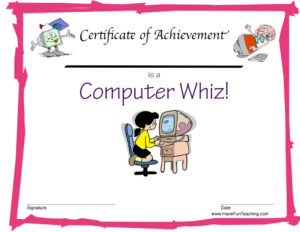
PreschoolComputer Whiz Reward Certificate for Girls

Using the Computer Whiz Reward Certificate for Girls, your student will feel celebrated and recognized for their accomplishment of being a computer whiz.

From our teachers' playbook

Tap, drag and learn!

What do preschoolers learn about technology?

For preschoolers, technology is about using screens as a learning tool, not just a toy. Kids practice tapping and dragging on an interactive whiteboard or tablet, taking turns, and following simple on-screen directions. They use those skills to count, match shapes and even check in for attendance. Just as important, they learn simple screen habits: gentle hands, short turns, and stopping when the timer rings. The magic moment is when a three-year-old drags the right shape into place and the whole class cheers!

Our favorite ways to use technology in preschool

Screens work best in short, shared bursts with a grown-up guiding the learning. These moves keep tech purposeful and playful.

Whiteboard turn-taking

Pull up a counting chart on the interactive whiteboard and invite one child at a time to tap the next number. Everyone else counts aloud. Kids practice the tech skill and the math at the same time, and nobody is just watching.

Why it works: playful practice with a clear goal keeps kids practicing longer, and simple learning games have been shown to build real skills (Ramani and Siegler, 2008).
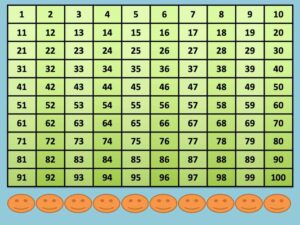
Smartboard Number ChartTry it withSmartboard Number ChartActivitiesOpen it →

Drag the shape home

Show a basic shape activity and model dragging a circle to its matching outline. Then kids take turns. Ask "How did you know it fit?" so the talk is about the shape, not just the screen.

Why it works: the U.S. Department of Education's guide for teaching elementary math recommends moving from hands-on objects to drawings to numbers.

Smartboard Activity - Basic ShapesTry it withSmartboard Activity - Basic ShapesActivitiesOpen it →

Tech as a morning routine

A quick daily job, like tapping your name on an attendance checker, builds confident tech hands in a few minutes a day. Short, regular practice beats a long screen session every time.

Why it works: short practice spread over several days beats one long session, according to a large review of learning research (Dunlosky and colleagues, 2013).

Smartboard Attendance CheckerTry it withSmartboard Attendance CheckerActivitiesOpen it →

Questions about technology in preschool

How much screen time is OK for preschoolers?

Many pediatric groups recommend limiting screen time for young children to about an hour a day of high-quality content, ideally with an adult. Short, shared learning activities are the best fit for preschool.

What tech skills should preschoolers learn?

Preschoolers can learn to tap, drag and swipe, take turns with a device, and follow simple on-screen directions. They can also learn basic habits like gentle hands and stopping when asked.

How do you use a smartboard in preschool?

Use it for short whole-group activities like counting, shape matching and attendance. Invite one child at a time to the board while the rest of the class says or does something along with them.

Is technology good for preschool learning?

It can be when it is short, interactive and guided by an adult. The best activities connect to real skills like counting and shapes, and they get kids talking rather than just watching.