Skip to content
Start My 3 Free Days $0 today · cancel anytime

5th Grade Technology Resources

7 5th grade technology resources: 5 activities. How teachers use these

5th Grade Technology Resources

7 5th grade technology resources: 5 activities. How teachers use these

Activity
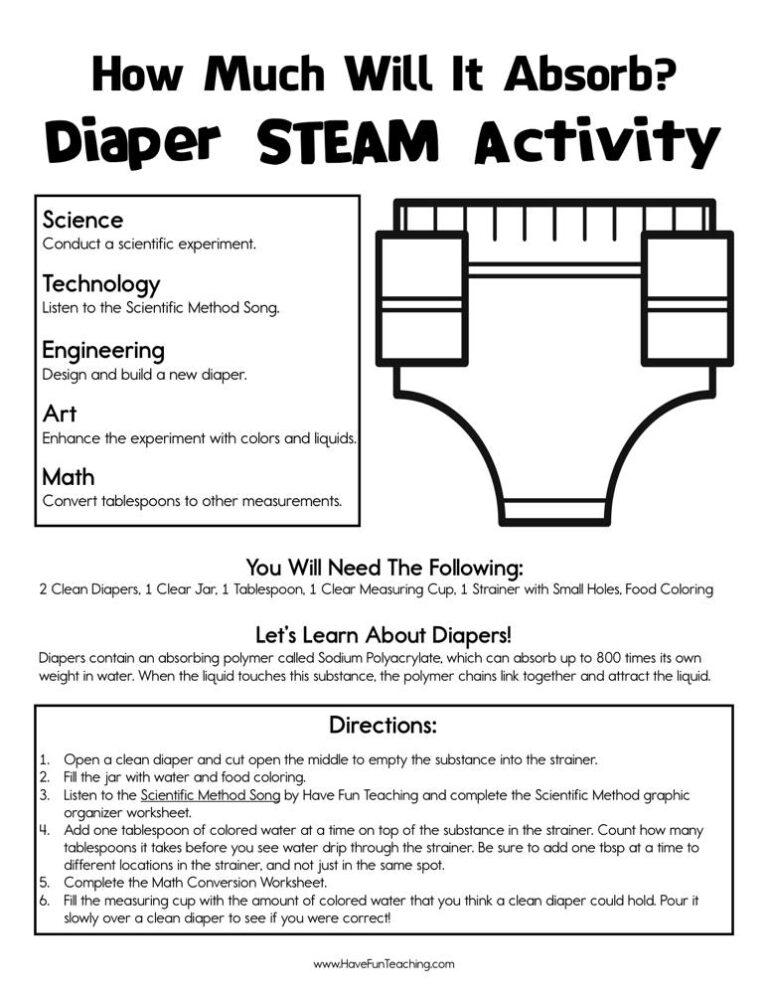
Activity5th GradeHow Much Will It Absorb Diaper STEAM Activity

Run the How Much Will It Absorb Diaper STEAM Activity as a real lab for 4th to 6th grade: test diaper gel, convert capacity units, and design a diaper, with an answer key included.

Activity
Activity5th GradeDigital Dilemma Research Activity

Students hunt for U.S. government facts with this digital dilemma research activity for 3rd to 5th grade, checking each answer in a website and a book. An answer key is included.

Activity
Activity5th GradeGet to the Point PowerPoint Activity

Using this Get to the Point PowerPoint Activity, students learn to include multimedia components such as graphics, sounds, and visual displays in presentations when appropriate to enhance the development of main ideas or themes.

Activity
Activity5th GradeEnhancing My Presentation Activity

Using Enhancing My Presentation Activity, students add audio recordings and visual displays to presentations to enhance the development of main ideas.

5th GradeComputer Whiz Reward Certificate for Boys

Using the Computer Whiz Reward Certificate for Boys, your student will feel celebrated and recognized for their accomplishment of being a computer whiz.

5th GradeComputer Whiz Reward Certificate for Girls

Using the Computer Whiz Reward Certificate for Girls, your student will feel celebrated and recognized for their accomplishment of being a computer whiz.

From our teachers' playbook

Smart clicks, smarter kids

What do 5th graders learn about technology?

Fifth grade is when kids stop just using tech and start using it well. They research online and learn to ask, "Who made this, and can I trust it?" They build slideshows that actually teach something, with one big idea per slide instead of a wall of text. They also start thinking about digital choices: what to share, how to treat people online, and when to log off. The click moment comes when a student fixes their own slide before you say a word, because they can finally see what makes it work.

Our favorite ways to teach technology that sticks

Fifth graders learn tech best by making things and then talking about the choices they made. Here are the moves we lean on.

Think aloud while you search

Project your screen and search a real question live. Say what you are thinking: "This site is selling something, so I'm skeptical." Then hand kids a digital dilemma to work through with a partner, using the same questions you just modeled.

Why it works: showing first, practicing together, then letting kids try alone is the "gradual release" model teachers have relied on for decades (Pearson and Gallagher, 1983).
Digital Dilemma Research ActivityTry it withDigital Dilemma Research ActivityActivitiesOpen it →

Build the slide, then fix the slide

Give kids a cluttered slide and ask them to get it to the point: one headline, one picture, three words or fewer per bullet. Then they apply the same rules to their own presentation. Editing someone else's work first makes their own mistakes easy to spot.

Why it works: the U.S. Department of Education's guide for teaching elementary math recommends moving from hands-on objects to drawings to numbers.

Get to the Point PowerPoint ActivityTry it withGet to the Point PowerPoint ActivityActivitiesOpen it →

Five-minute tech warm-ups

Skip the one-week tech unit. Open a few class periods each week with a quick skill: a keyboard shortcut, a search trick, a presentation tip. Small, repeated practice turns those skills into habits kids keep.

Why it works: spreading practice out over days is one of the two most effective study methods in a major research review (Dunlosky and colleagues, 2013).

Enhancing My Presentation ActivityTry it withEnhancing My Presentation ActivityActivitiesOpen it →

Questions teachers and parents ask

What technology skills should a 5th grader have?

Most 5th graders can type with growing speed, search the web with good keywords, judge whether a source is reliable, and build a simple presentation. They are also learning digital citizenship: protecting personal information and being kind online.

How do I teach 5th graders to check if a website is reliable?

Teach a short routine and use it every time. Who wrote it? When was it updated? Is it trying to sell or persuade? Can I find the same fact on another trusted site? Practicing with real examples works better than a lecture.

How can I help my child make better presentations?

Encourage one main idea per slide, big pictures, and very few words. Have them practice out loud to a family member, since the talk matters more than the slides. A quick "what is the one thing you want me to remember?" helps a lot.

How much screen time is right for tech lessons?

Short and purposeful is the goal. Pair screen work with planning on paper and talking with a partner, so kids are thinking and not just clicking.