Skip to content
Start My 3 Free Days $0 today · cancel anytime

1st Grade Technology Resources

10 1st grade technology resources: 6 activities and 1 worksheet. How teachers use these

1st Grade Technology Resources

10 1st grade technology resources: 6 activities and 1 worksheet. How teachers use these

Worksheet
Worksheet1st GradeDigital Tools Skills Assessment Worksheet

A digital tools skills assessment worksheet for 1st grade teachers: twelve observable technology skills and a class grid with room for five students, so one page records who can do what and when.

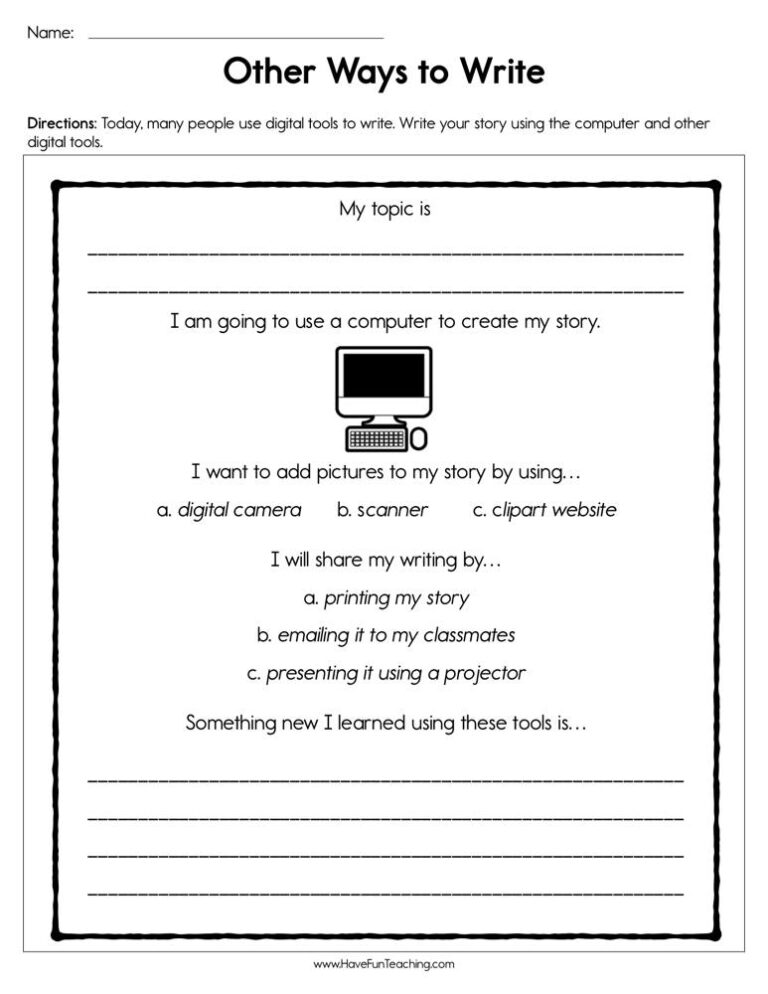
1st GradeOther Ways to Write Worksheet

Using Other Ways to Write Worksheet, students write their story using the computer and other digital tools.

Activity
Activity1st GradeWriting With Technology Activity

This writing with technology activity gives K-1st grade students eight task cards for typing, recording and printing their own writing. Answer key included for the matching practice.

Activity
Activity1st GradeTechnology Time Centers Activity

Technology time centers activity for kindergarten and 1st grade: match six digital tool picture cards to clue cards, then practice on a worksheet. Answer key included.

1st GradeComputer Whiz Reward Certificate for Boys

Using the Computer Whiz Reward Certificate for Boys, your student will feel celebrated and recognized for their accomplishment of being a computer whiz.

1st GradeComputer Whiz Reward Certificate for Girls

Using the Computer Whiz Reward Certificate for Girls, your student will feel celebrated and recognized for their accomplishment of being a computer whiz.

From our teachers' playbook

Little hands, big digital skills

What do 1st graders learn about technology?

First graders are building the digital basics they will use for years. They learn to log in, use a mouse or trackpad, tap and drag on a touchscreen, and find letters on a keyboard. They use simple tools to type their name, draw a picture or record their voice. Just as important, they learn to be safe and kind online: ask a grown-up before clicking something new, and never share personal information. The click comes when a child finishes a task on their own and says, "I did it all by myself!"

Our favorite ways to teach technology in 1st grade

Young tech users need routines, short practice and lots of encouragement.

Tech centers with one job

Set up technology centers where each station has one clear task, like typing your name or dragging shapes into place. Picture directions help kids work on their own. Small jobs build big independence.

Why it works: going from real objects to pictures to symbols is a core recommendation of the U.S. Department of Education's elementary math guide.

Technology Time Centers ActivityTry it withTechnology Time Centers ActivityActivitiesOpen it →

Show me the skill

Every few weeks, do a quick check: can they log in, open a program, use the mouse and save their work? A simple checklist shows who needs extra help before you move on.

Why it works: a big review of study methods ranked quick self-quizzing among the most powerful ways to remember (Dunlosky and colleagues, 2013).

Digital Tools Skills Assessment WorksheetTry it withDigital Tools Skills Assessment WorksheetWorksheetsOpen it →

Tech a little every day

Use the interactive board for a few minutes each day, like taking attendance or counting on a number chart. Kids practice tapping and dragging without a separate lesson.

Why it works: short practice spread over several days beats one long session, according to a large review of learning research (Dunlosky and colleagues, 2013).

Smartboard Attendance CheckerTry it withSmartboard Attendance CheckerActivitiesOpen it →

Questions parents and teachers ask about 1st grade technology

What computer skills should a 1st grader have?

Most 1st graders can log in with help, use a mouse or touchscreen, find letters on a keyboard and open simple programs. They are also learning basic online safety rules.

How do you teach online safety to 1st graders?

Keep the rules short: ask a grown-up before you click something new, never share your name or address, and tell an adult if something feels wrong. Practice them like any classroom rule.

Should 1st graders learn to type?

Yes, in small doses. Finding letters, typing their name and short words is a good start. Formal typing lessons usually come a bit later.

How much screen time is right for a 1st grader at school?

Short, purposeful sessions work best, like a center rotation or a quick whole-class activity. Technology should support learning, not replace hands-on play.