

Technology Time Centers Activity
Technology time centers activity for kindergarten and 1st grade: match six digital tool picture cards to clue cards, then practice on a worksheet. Answer key included.
$6.97
Want this one free?
Tell us where to send it and it’s yours — no card, no catch.
One free resource per teacher. We’ll also send free teaching ideas each week — unsubscribe anytime.
Free teacher account · no credit card
Membership
Get every game, song, & printable
- Every game, on any device
- 6,500+ resources
- Assign online with HFT Classroom
Then $39.97/year · cancel anytime · See plans
- Instant digital download
- Printable PDF + answer key
- Made by real teachers
Teacher / Family membership
Teaching is easier with every resource
One membership for your whole year: 6,500+ worksheets, games, songs and videos for Preschool–6th, for your classroom or homeschool.
- Unlimited printables & downloads
- Every game, on any device
- Assign online with HFT Classroom
- Cancel anytime
Teacher / Family membership · 3 days free
Yearly
Monthly would be $119.64 a year
$3.33/month
Billed $39.97 once a year
You save $79.67 every year
Start My 3 Free Days$0 today · cancel anytime
Monthly
$9.97/month
Flexible, month to month
Yearly is just $3.33/mo. Switch and save $79.67
Start My 3 Free Days$0 today · cancel anytime
About this resource
Description
Young writers can use digital tools to type, draw, record, listen to and print their stories. This technology time centers activity helps kindergarten and 1st grade students learn the names of six tools, a keyboard, a mouse, a tablet, headphones, a microphone and a printer, and what each one does to help them write and share their work.
In this matching game, children lay out six colorful picture cards and draw a clue card, such as “Press my keys to type your story.” They read the clue, or ask a grown-up to read it, and find the tool it tells about. Each clue fits exactly one tool, so the game checks itself. A kindergarten practice page asks students to read short clues and circle the right tool, and the technology time centers activity ends with a full answer key.
What’s Included
- A colorful cover page
- A How to Use page with game steps
- 6 picture cards of digital tools
- 6 lettered clue cards
- A kindergarten practice worksheet: read the clue, circle the tool
- Answer keys for the matching game and the practice page
Why This Activity Helps Kids
First, naming real tools builds the vocabulary children need when they write with technology in class. Second, reading short clues gives beginning readers practice with simple sentences. Third, a hands-on center game keeps children talking, matching and thinking about how they can share their own writing.
Ideas for Teachers and Parents
Use this digital tools matching game in a writing or computer center, as a quick lesson before students publish a story, or as a memory game with a partner. At home, find the real tools in your house and talk about what each one helps you do.
Related Resources
What teachers say
Reviews
Write a review, earn store credit
Get 25¢ in credit for every approved review of a resource you’ve downloaded, played or purchased — up to 15 a month. Credit applies automatically to your membership payments, so your reviews can help pay for your membership.
Honest reviews only — any star rating earns the same. Program rules
Log in to write a review and earn store credit.


A digital tools skills assessment worksheet for 1st grade teachers: twelve observable technology skills and a class grid with room for five students, so one page records who can do what and when.
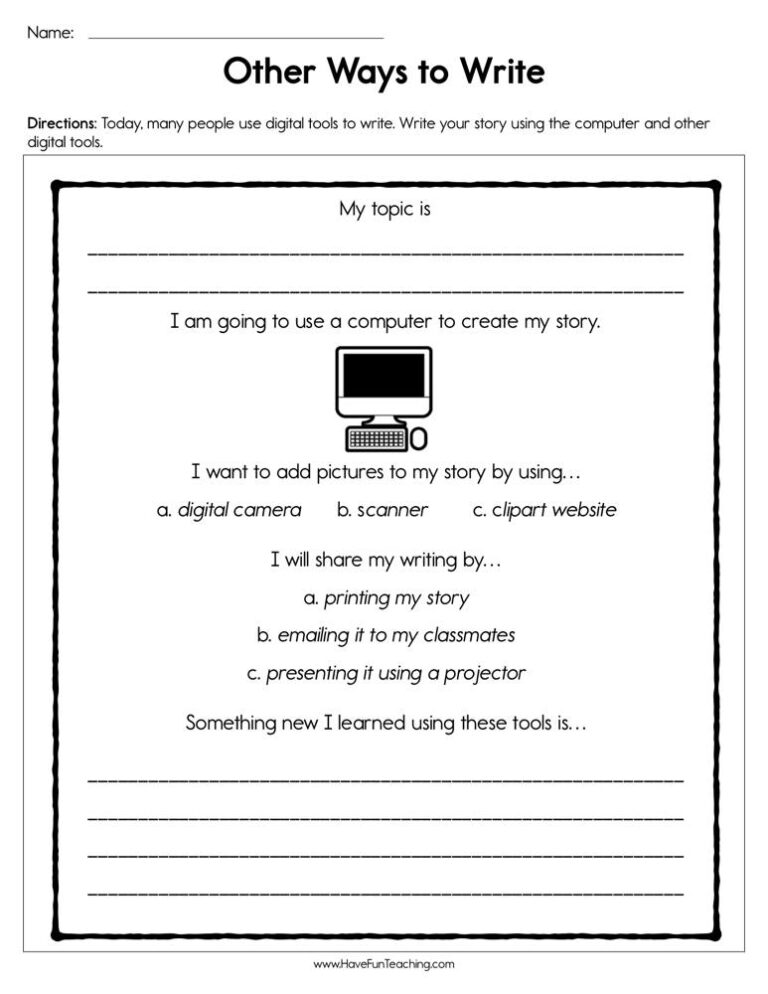
Using Other Ways to Write Worksheet, students write their story using the computer and other digital tools.


This writing with technology activity gives K-1st grade students eight task cards for typing, recording and printing their own writing. Answer key included for the matching practice.


Using the Computer Whiz Reward Certificate for Boys, your student will feel celebrated and recognized for their accomplishment of being a computer whiz.

Using the Computer Whiz Reward Certificate for Girls, your student will feel celebrated and recognized for their accomplishment of being a computer whiz.
Using this Jumping Jack Song (MP3), your students will be working up a sweat as they do jumping jacks along with the catchy beat.

These Circle Cut Outs will quickly give you templates for classroom decoration or student activities.

Reviews
There are no reviews yet